 Auto Alpha Advisory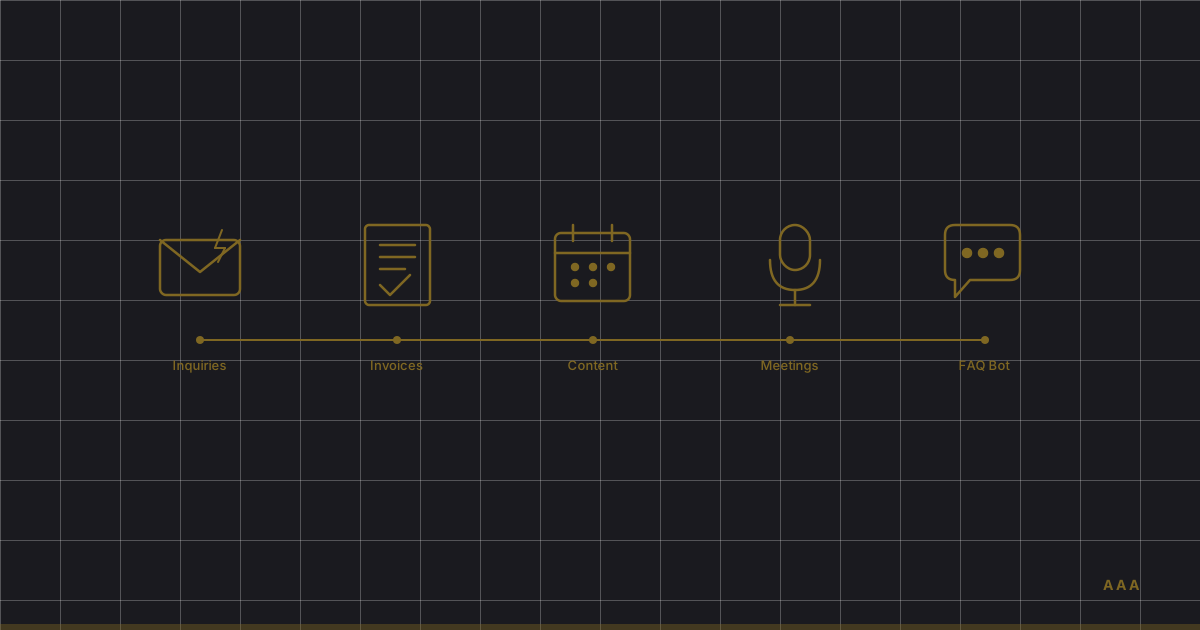
Most AI advice tells you to "develop an AI strategy" or "build a data-driven culture." That's fine if you have six months and a consulting budget. But if you're running a small South African business and you want results this week, you need something more specific.
This post is that something. Five automations. Specific tools. Honest time estimates. Real costs. Each one can be set up by a non-technical business owner in a few hours, and each one saves measurable time every single week.
As someone who trained as a CA(SA) before becoming a developer building production AI systems, I spend most of my time helping businesses figure out what's worth automating and what isn't. These five aren't speculative — they're the ones I recommend to almost every business I work with because they deliver results quickly with minimal risk.
A quick caveat before we start: by some estimates more than 80% of AI projects fail — twice the rate of non-AI IT projects (RAND Corporation). The reason is almost always scope. Businesses try to do too much at once. These five automations are deliberately small. That's the point. Get one working, prove the value, then expand.
1. Auto-triage and respond to customer inquiries
What it does: Monitors your WhatsApp Business, email inbox, or web contact form. When a new inquiry comes in, it categorises it (sales, support, billing, spam), drafts an appropriate response, and either sends it automatically or queues it for your approval.
Tools to use: Zapier or Make for the automation layer, connected to ChatGPT (via OpenAI API) or Claude for the response drafting. For WhatsApp specifically, you'll need a WhatsApp Business API provider like WATI or Trengo.
Setup time: 3–5 hours for a basic email version. Add another 2–3 hours if you want WhatsApp included. The bulk of the time goes into writing good prompt templates for each inquiry type — not the technical wiring.
What it saves: 5–10 hours per week for a business that handles 20+ inquiries per day. More importantly, it drops your average response time from hours to minutes, and a lead that waits a day for a reply has often already asked someone else.
Cost: R500–R1,500/month — Zapier starter plan (R350/month), plus OpenAI API usage (R150–R800/month depending on volume). WATI adds R750/month if you include WhatsApp.
Honest caveat: The AI will occasionally draft a response that misses context or sounds slightly off. For the first two weeks, run it in "draft and review" mode — where you approve every response before it sends. Once you've corrected the edge cases and refined your prompts, you can let it auto-send the routine stuff and only review the complex ones.
2. Automate invoice and expense processing
What it does: Scans incoming invoices and receipts (email attachments, photos, PDFs), extracts the key data using OCR, categorises the expense, and pushes it into your accounting software. No more manual data entry. No more shoeboxes of receipts at month-end.
Tools to use: Dext (formerly Receipt Bank) is the most established option and integrates directly with Xero, Sage, and QuickBooks. For a more custom setup, Zapier + Google Document AI or Nanonets can handle OCR extraction and feed data into your accounting platform.
Setup time: 2–4 hours for Dext (it's designed for this exact workflow). 5–8 hours for a custom Zapier pipeline with OCR. Most of the setup time is mapping your expense categories and chart of accounts correctly — the technical integration is straightforward.
What it saves: 3–6 hours per week for a business processing 50+ invoices monthly. More than the time saving, you get accuracy — manual data entry has an error rate of 2–5%, and those errors compound through your financial reporting.
Cost: Dext runs R500–R1,200/month depending on volume. A custom Zapier + OCR setup costs R300–R900/month in tool subscriptions, but takes more time to maintain.
Honest caveat: OCR isn't perfect. Handwritten invoices, poor-quality scans, and unusual layouts will trip it up. Expect 85–90% accuracy out of the box. You'll still need someone to review flagged items — but reviewing ten exceptions is faster than manually processing a hundred invoices.
3. Schedule social media content from business updates
What it does: Takes raw business inputs — a blog post, a product update, a customer testimonial, a photo from an event — and generates multiple social media posts in your brand voice, optimised for each platform. Then schedules them across your channels.
Tools to use: Buffer or Publer for scheduling (both have built-in AI content generation). For better quality outputs, draft the posts using ChatGPT or Claude with a custom prompt that includes your brand voice guidelines, then paste them into your scheduler. Canva with its AI features handles visual content.
Setup time: 2–3 hours for initial setup. The real investment is the first hour: writing a brand voice document and a set of prompt templates that generate posts you'd actually want to publish. After that, the weekly workflow takes 30 minutes instead of 3–4 hours.
What it saves: 3–5 hours per week. Most small businesses either spend too long on social media or — more commonly — don't post at all because it feels like too much effort. This automation makes "good enough, posted consistently" achievable.
Cost: Buffer or Publer runs R200–R600/month. ChatGPT Plus at R350/month for content generation. Canva Pro at R200/month for visuals. Total: R750–R1,150/month.
Honest caveat: AI-generated social content is obvious when it's generic. The posts that perform are the ones where you feed the AI something specific — a real customer interaction, a genuine opinion, an actual business update. The AI handles the formatting and platform optimisation. You still need to supply the substance.
4. Auto-transcribe meetings and extract action items
What it does: Records and transcribes your meetings (virtual or in-person), generates a structured summary, and extracts action items with assigned owners and deadlines. Sends the summary to attendees automatically.
Tools to use: Otter.ai is the most polished option for virtual meetings — it integrates with Zoom, Google Meet, and Microsoft Teams. For in-person meetings, the Otter mobile app works well. Fireflies.ai is a strong alternative with better CRM integrations. Both handle multiple accents well, though Afrikaans terms and local slang will need occasional correction.
Setup time: 1–2 hours. This is the easiest automation on the list. Install the app, connect it to your calendar, configure the summary format, and it runs automatically for every meeting.
What it saves: 2–4 hours per week if you have regular meetings (most businesses have far more than they think). The bigger value isn't time — it's accountability. When every meeting produces a clear list of who committed to what, things get done. When it doesn't, they don't.
Cost: Otter.ai Business runs R350–R550/month per user. Fireflies.ai is similar at R300–R500/month per user. You only need it for the people who run meetings, not the whole team. Most businesses start with 1–3 seats.
Honest caveat: Transcription accuracy drops in noisy environments, with heavy accents, or when multiple people talk simultaneously. It's typically 90–95% accurate in a normal meeting setting. Don't rely on it for legally binding minutes — use it for operational meetings where "good enough" summaries are better than no summaries at all.
5. Set up a website FAQ chatbot
What it does: A chat widget on your website that answers common customer questions 24/7 using your actual business information — pricing, services, processes, policies. It handles the 80% of questions that are repetitive, and hands off the complex 20% to a human.
Tools to use: Tidio and Intercom both offer AI chatbot features that can be trained on your existing FAQ content and website pages. For a simpler, cheaper option, Chatbase lets you upload documents and URLs to create a custom chatbot in minutes. For businesses on Shopify or WooCommerce, Tidio integrates directly with both.
Setup time: 2–4 hours. The process is: gather your FAQ content (you probably already have this in emails you've sent repeatedly), upload it to the tool, customise the chatbot's tone and boundaries, embed the widget on your site, and test it with real questions.
What it saves: 3–7 hours per week in customer support time, depending on your inquiry volume. The 24/7 availability is the real value. Most businesses don't have the internal skills to staff this properly — IDC's agentic AI study found "more than two thirds (67 percent) of organizations believe users need more skills training to increase agentic AI adoption," with lack of skilled personnel the top implementation challenge at 55%. But your customers expect instant answers whether you have a tech team or not. A FAQ bot gives you always-on support without hiring for night shifts.
Cost: Chatbase starts at R350/month. Tidio's AI features run R500–R1,200/month. Intercom is pricier at R1,200+/month but has stronger handoff-to-human features.
Honest caveat: A chatbot is only as good as the information you feed it. If your FAQ content is thin or outdated, the bot will give thin or wrong answers. Invest the time upfront to write comprehensive, accurate answers to your top 20–30 questions. Also, always include a clear "talk to a human" escape route — nothing frustrates customers more than being trapped in a bot loop.
The total picture
If you set up all five automations, here's what you're looking at:
- Total setup time: 10–22 hours (spread across a week, that's 2–4 hours per day)
- Total monthly cost: R2,500–R5,500/month
- Total time saved: 16–32 hours per week
- Break-even: Within the first month for most businesses
That's not a transformation project. That's a productive week. And the combined cost is less than a part-time hire. If you want to see how far this goes when you stack the same pattern into one pipeline, I replaced one to two hours of my own daily work for about $12 a month.
Mid-market AI adoption is still in single digits — in South Africa it sits at just 2–5% (Auto Alpha Advisory market research, 2026). That means if you set up even two or three of these automations, you're already ahead of the vast majority of your competitors. Not because you've done something radical — because you've done something practical.
Where most businesses get stuck
The individual automations aren't hard. What's hard is knowing which one to start with for your specific business, configuring the tools to work with your existing systems, and handling the edge cases that come up in the first two weeks.
That's the difference between a tool and a system. A tool is something you install. A system is something that works reliably, handles exceptions gracefully, and gets better over time. These five automations are tools on day one. They become systems when someone tunes them to your business.
This is where most AI spending goes wrong, and it isn't a technology problem. BCG's survey of 1,000 executives across 59 countries, Where's the Value in AI?, found around 70% of the difficulty sits in people and process, 20% in technology and only 10% in the algorithms. As BCG partner Amanda Luther put it: "Three-quarters of companies have yet to unlock value from AI. Without decisive action, they risk falling significantly behind."
If you want to go deeper, The AI Advantage, my free 75-page guide, runs from the CRAFT prompting framework to autonomous agents and a 90-day implementation roadmap. If you'd rather talk it through, the Map is a free 90-minute session on your own workflows.
Frequently Asked Questions
What's the easiest AI automation to set up for a small business?
Meeting transcription with Otter.ai or Fireflies.ai. It takes 1–2 hours to set up, requires no technical skill, and delivers immediate value from your very next meeting. It's also the lowest risk — if it doesn't work perfectly, you've lost nothing.
How much do AI automations cost for a small business?
Individual automations typically cost R200–R1,500/month in tool subscriptions. A full suite of five basic automations runs R2,500–R5,500/month — less than a part-time hire. The costs scale with usage, so you can start small and expand as you see results.
Do I need technical skills to set up AI automations?
No, but patience helps. Tools like Zapier, Otter.ai, and Chatbase are designed for non-technical users. The biggest time investment isn't wiring things together — it's writing good prompts, preparing your FAQ content, and testing edge cases. If you can use a spreadsheet, you can set these up.
Will AI chatbots work for my customers?
Yes, with proper setup. The key is training the bot on your actual FAQ content — real questions your customers ask, in the language they use. If your customers communicate in multiple languages, tools like Tidio and Intercom support multilingual responses, though English performs best. Always include a clear path to a human agent for complex issues.
What if an automation makes a mistake?
It will — especially in the first two weeks. That's why every automation on this list should start in "review mode" where a human approves outputs before they reach customers. Once you've identified and corrected the common failure points, you can gradually increase the automation level. The goal is "better than the manual process," not "perfect."
Get started this week
You don't need a strategy document or a transformation programme. Pick the automation that maps to your biggest time sink, set aside a few hours, and build it. Andrew Ng argues the same in How to Choose Your First AI Project: "The purpose of your first 1-2 pilot projects is only partly to create value; more importantly, the success of these projects will help convince stakeholders to invest in building up your company's AI capabilities." The first automation's real job is to earn you the right to build the second. If you want the wider picture, The AI Advantage is my free 75-page guide. And if you'd rather have someone assess which automations would deliver the most value for your specific business, book a discovery call — it's free, it's thirty minutes, and I'll give you an honest answer.